STARLINK INSTALLATION
Plan a Starlink installation around a suitable dish location, mounting method, cable route and power source. WEISS Electric LTD can discuss the electrical and installation work for your property and equipment.
Based in Orono · Serving nearby communities
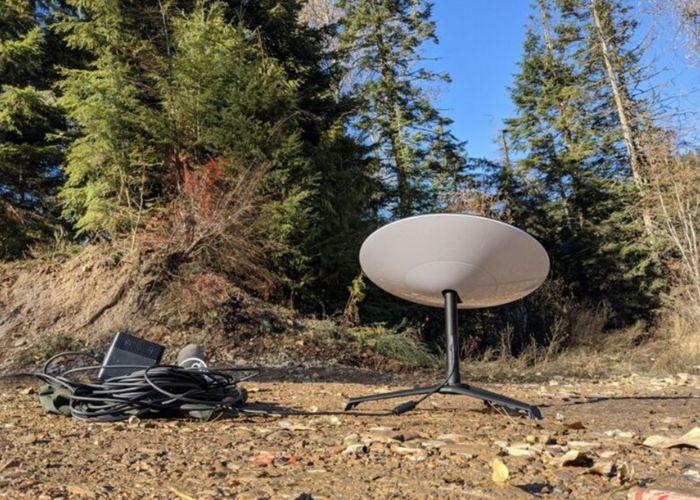
PLAN THE INSTALLATION
Dish placement, safe mounting and a practical path into the building all affect the scope of a Starlink installation.
Review possible positions with a clear view of the sky while accounting for trees, buildings, roof access and the manufacturer’s guidance.
Discuss a suitable mount for the selected location and surface. The equipment and property determine the attachment details.
Plan the cable path from the dish to the indoor equipment, including the building entry and protection of the route.
Confirm the power location and where the router or other supplied equipment will sit before installation.
REVIEW THE SITE
A good installation plan starts with access and an unobstructed location for the equipment.
Share any positions you are considering, along with nearby trees, buildings and access constraints. The mounting surface, equipment model, cable route and indoor equipment location all need review before the installation plan is settled.
Tell us about the equipment and the mounting, cable or installation concern you want reviewed. An existing setup can be discussed alongside the property details so the appropriate installation or maintenance scope can be defined.
MOUNTING AND ROUTING
The selected equipment and property determine where the dish can be mounted and how the cable reaches the indoor unit.
Review a roof, wall, pole or other suitable location against sky visibility, access and the equipment’s mounting instructions.
Choose a practical location for the supplied indoor equipment and power, then plan the cable entry and route.
Service availability and internet performance depend on Starlink and site conditions. Installation work cannot guarantee coverage, speed or uptime.
HOW THE WORK PROCEEDS
01
Discuss the property, available equipment and possible dish positions.
02
Choose a suitable mounting location and method for the equipment and surface.
03
Plan the cable route, building entry and indoor power location.
04
Complete the agreed mounting and electrical installation work.
05
Review the installed equipment and discuss any setup or troubleshooting needs.
REQUEST STARLINK INSTALLATION
Send WEISS Electric LTD your property address, Starlink equipment model and available site photos. Identify possible dish positions, mounting surfaces, cable-entry options and the proposed indoor equipment location. Explain whether the request concerns a new installation or an existing setup.
Choose Starlink Internet Install under Electrical service. Include your town or postal code and preferred timing.
To share photos or equipment information, email admin@weisselectricltd.com and include your name and property location.
Based in Orono, WEISS Electric LTD focuses on electrical work in Orono and nearby communities, including Newcastle, Bowmanville, Newtonville, Kendal, Kirby, Leskard and Tyrone.
Share your property location and the work you need so we can confirm the scope and scheduling. Explore Where We Work.
Tell us about the property, equipment and installation or maintenance concern so we can discuss the next step.